Move Prediction#

Setup#
[ ]:
import importlib.util

DEV = True

if importlib.util.find_spec("google.colab") is not None:
    MODE = "colab-dev" if DEV else "colab"
else:
    MODE = "local"
[2]:
if MODE == "colab":
    %pip install -q lczerolens[hf]
elif MODE == "colab-dev":
    !rm -r lczerolens
    !git clone https://github.com/Xmaster6y/lczerolens -b main
    %pip install -q ./lczerolens --extra hf
Load a Model#
Load a leela network from file (already converted to onnx):
[3]:
from lczerolens import LczeroModel

model = LczeroModel.from_hf("lczerolens/maia-1900")
To convert original weights see the section Convert Official Weights.
Predict a Move#
The defined model natively integrates with python-chess. Use the utils to predict a policy vector and obtain an UCI move:
[4]:
from lczerolens import LczeroBoard

# Get the model prediction
board = LczeroBoard()
out = model(board)
policy = out["policy"]

# Use the prediction
best_move_index = policy.argmax()
move = board.decode_move(best_move_index)

board.push(move)
display(board)
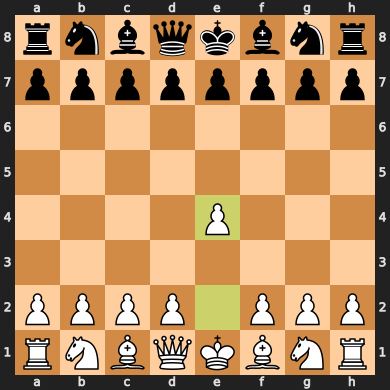
As most network are trained only on legal moves the argmax should only be computed on them:
[5]:
out = model(board)
policy = out["policy"]

legal_indices = board.get_legal_indices()
legal_policy = policy[0].gather(0, legal_indices)
best_move_index = legal_indices[legal_policy.argmax()]
move = board.decode_move(best_move_index)

board.push(move)
display(board)
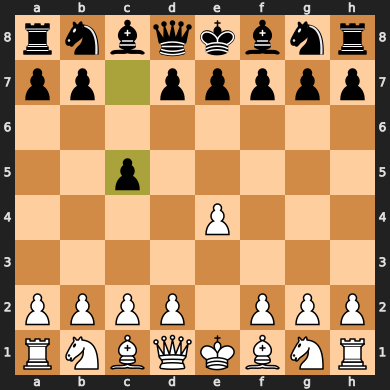
To simplify this process, you can use the Sampler class as shown below:
[6]:
from lczerolens.sampling import PolicySampler

sampler = PolicySampler(model, use_argmax=True)
move, _ = next(iter(sampler.get_next_moves([board])))

board.push(move)
display(board)